
#
Niagara
#
Skeletal Mesh Sampling
The Niagara Systems are attached to the character after being spawned. By default the spine_03 bone is used as the attach bone, but this can be changed directly on the tatusVFX Compmonent itself.

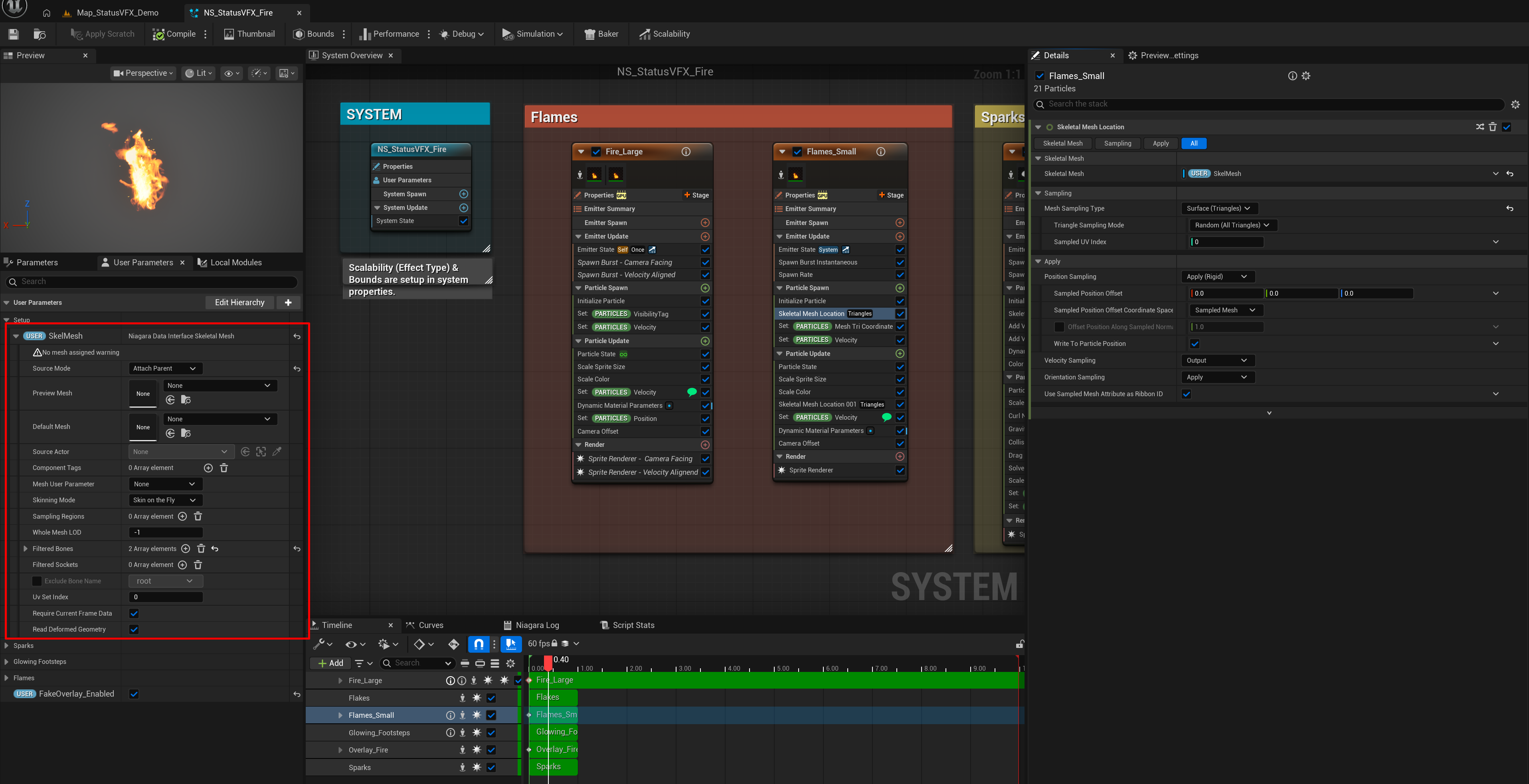
Inside of Niagara, we sample the Skeletal Mesh that the system is attached to:
Modular Characters
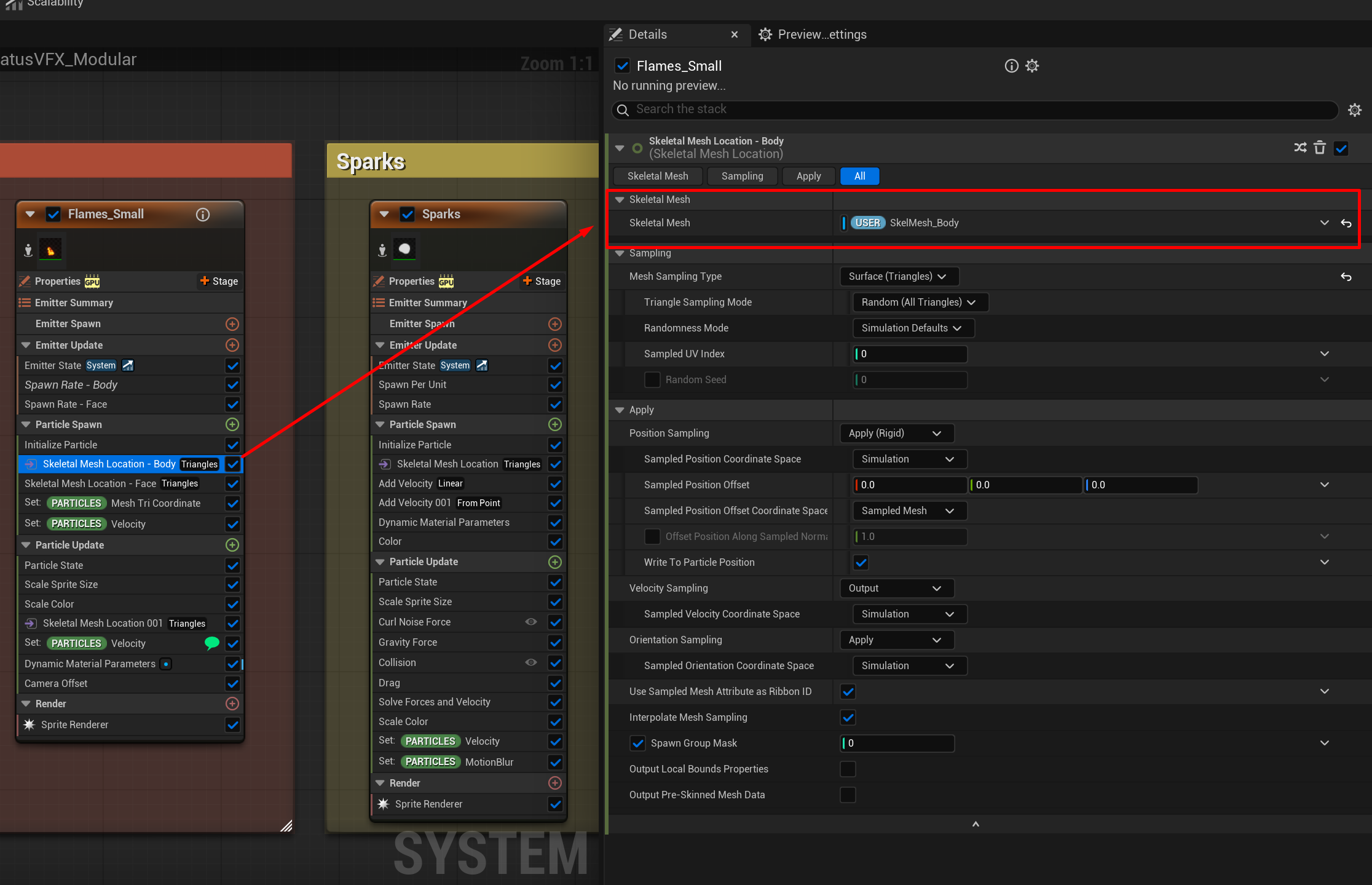
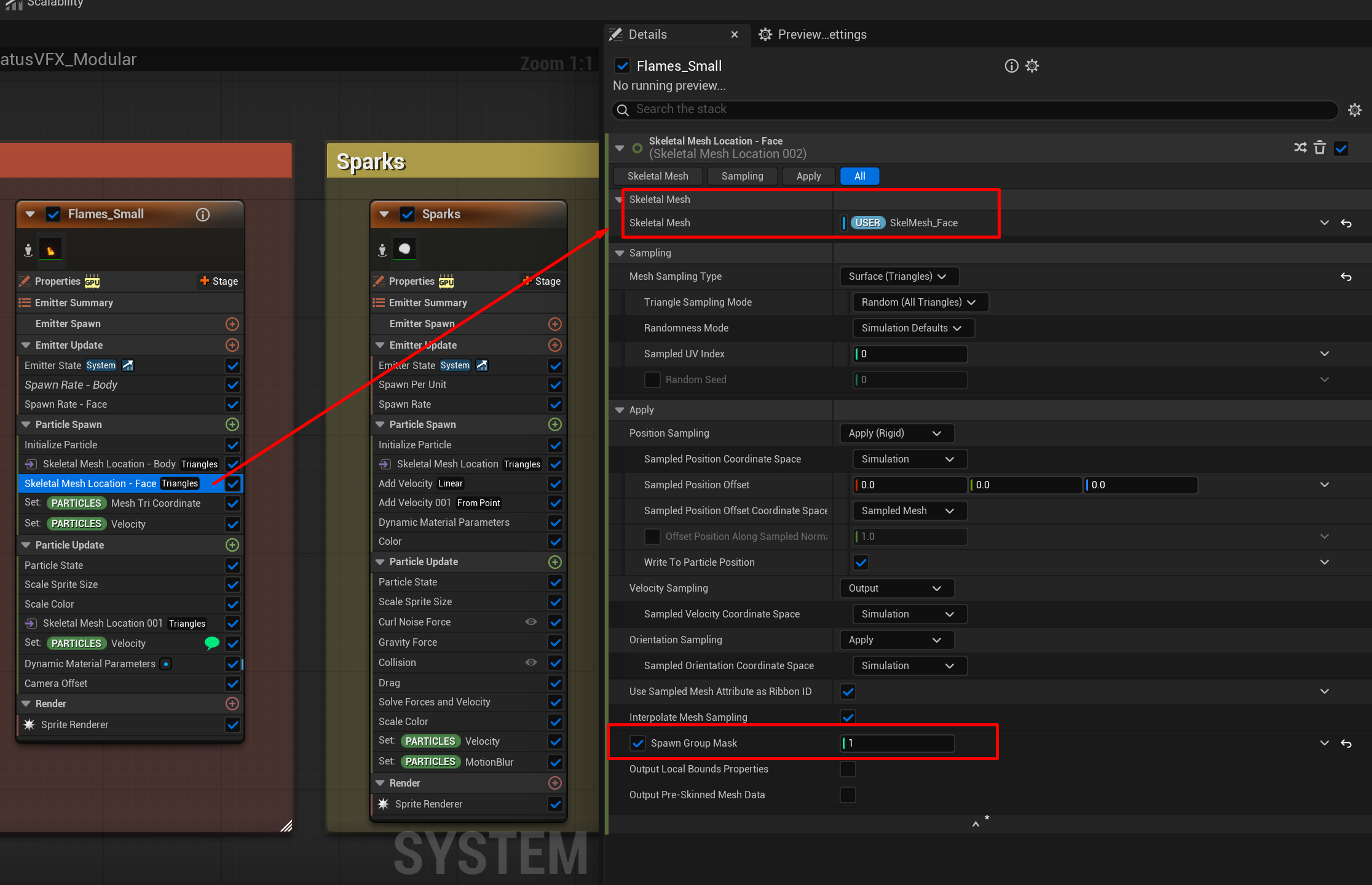
If your character consists of multiple skeletal meshes, e.g. due to being a modular character with different parts of equipment, Niagara will need to sample each one of these meshes individually. Unfortunately Niagara cannot sample multiple skeletal meshes with one module.
If you are using Epic's Mutable plugin, no additional work is required, as the resulting skeletal mesh is already a combined sekletal mesh and sampling works just fine.
If you are not using the Mutable plugin and have your own solution for multiple skeletal meshes, see the section below:
#
Handling modular characters
The best way to support this, is by sampling each relevant skeletal mesh separately. We can do this by finding the skeletal mesh by Component Tag. The Tag needs to be set on the skeletal mesh itself, inside your Character Blueprint.

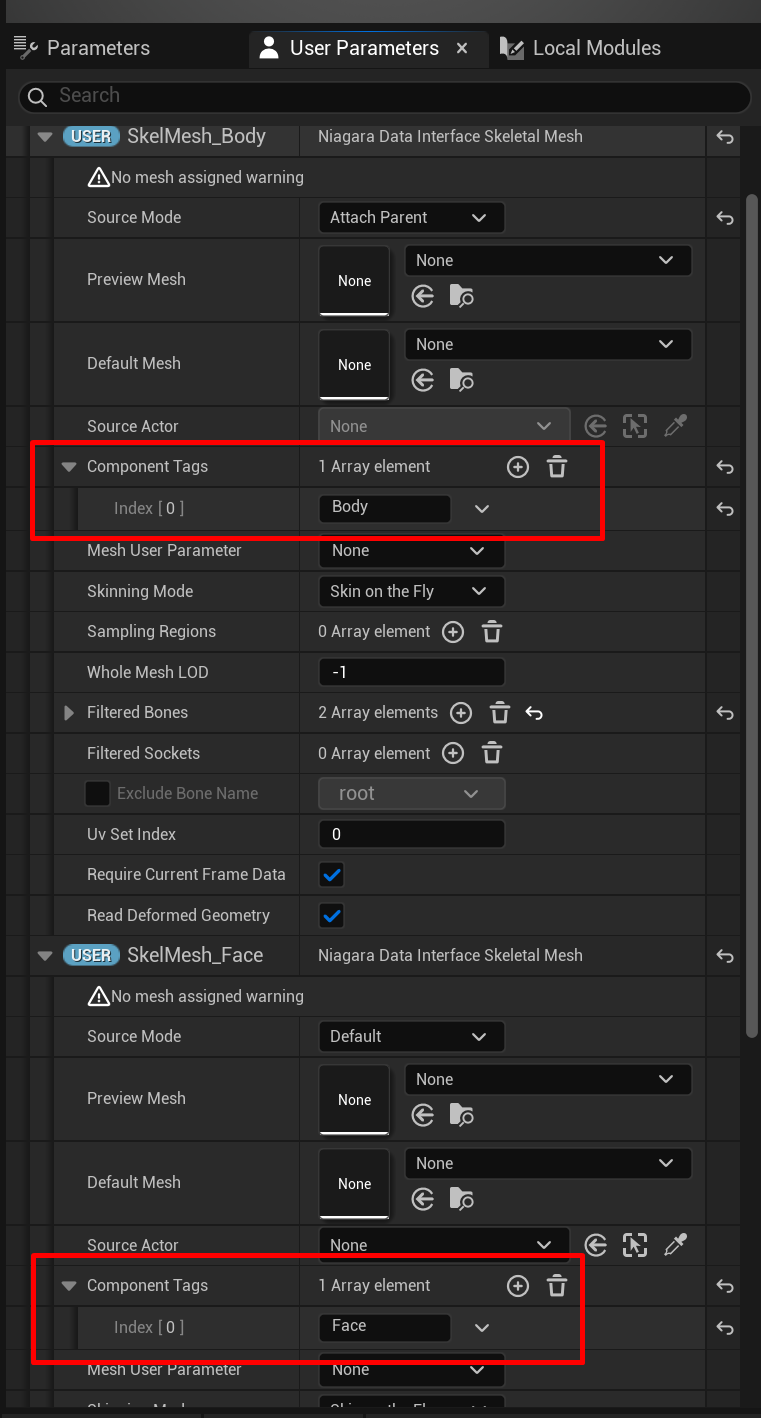
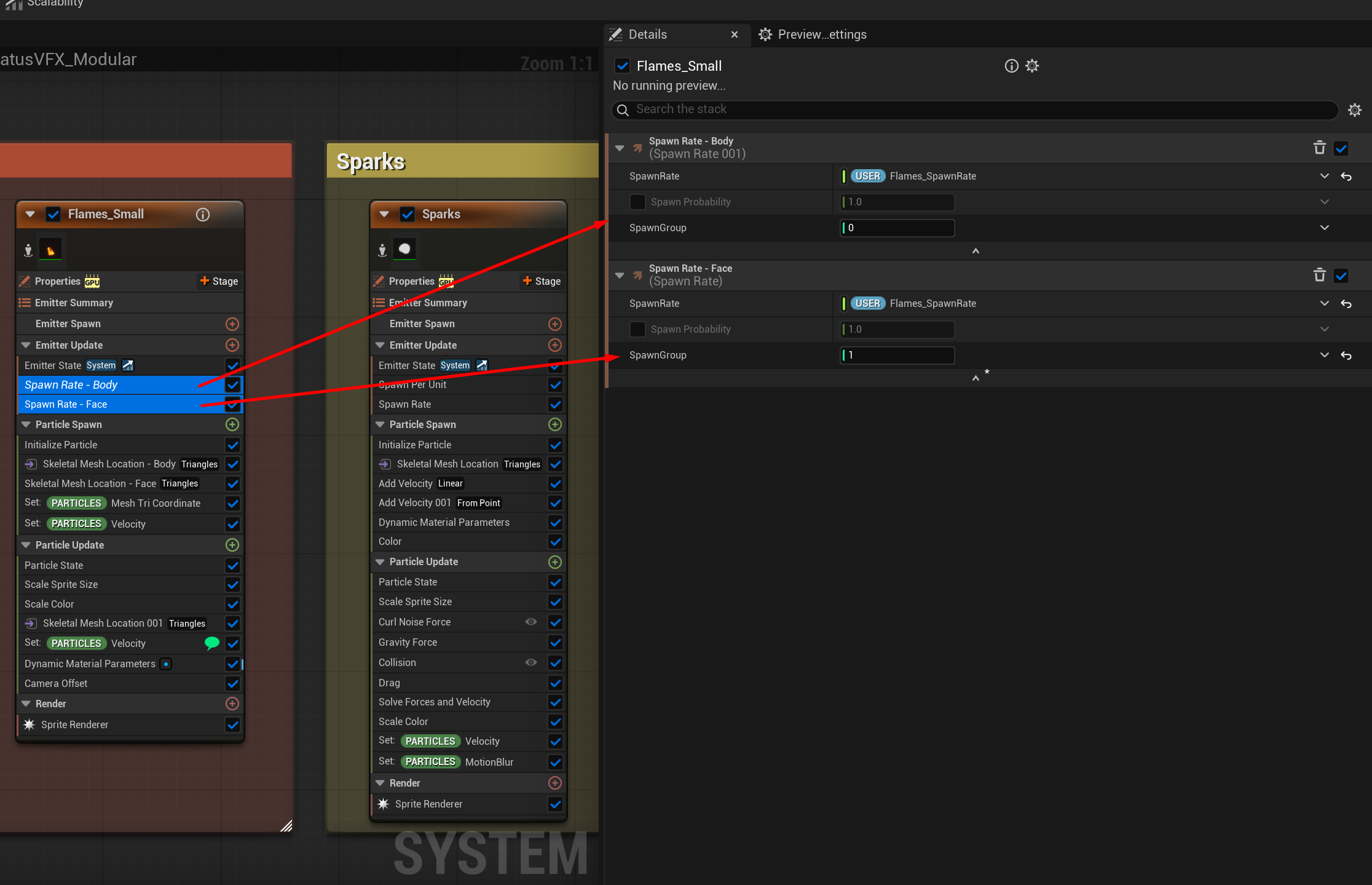
We also duplicate the Skeletal Mesh Location modules and assign the newly created user parameters there. It's best to also adjust the Spawn Group for each one, so we can control the SpawnRate for each mesh individually.